> ## Documentation Index
> Fetch the complete documentation index at: https://docs.eolasflow.ai/llms.txt
> Use this file to discover all available pages before exploring further.
# Usage & Credits
> Manage credits, view usage, and handle payments
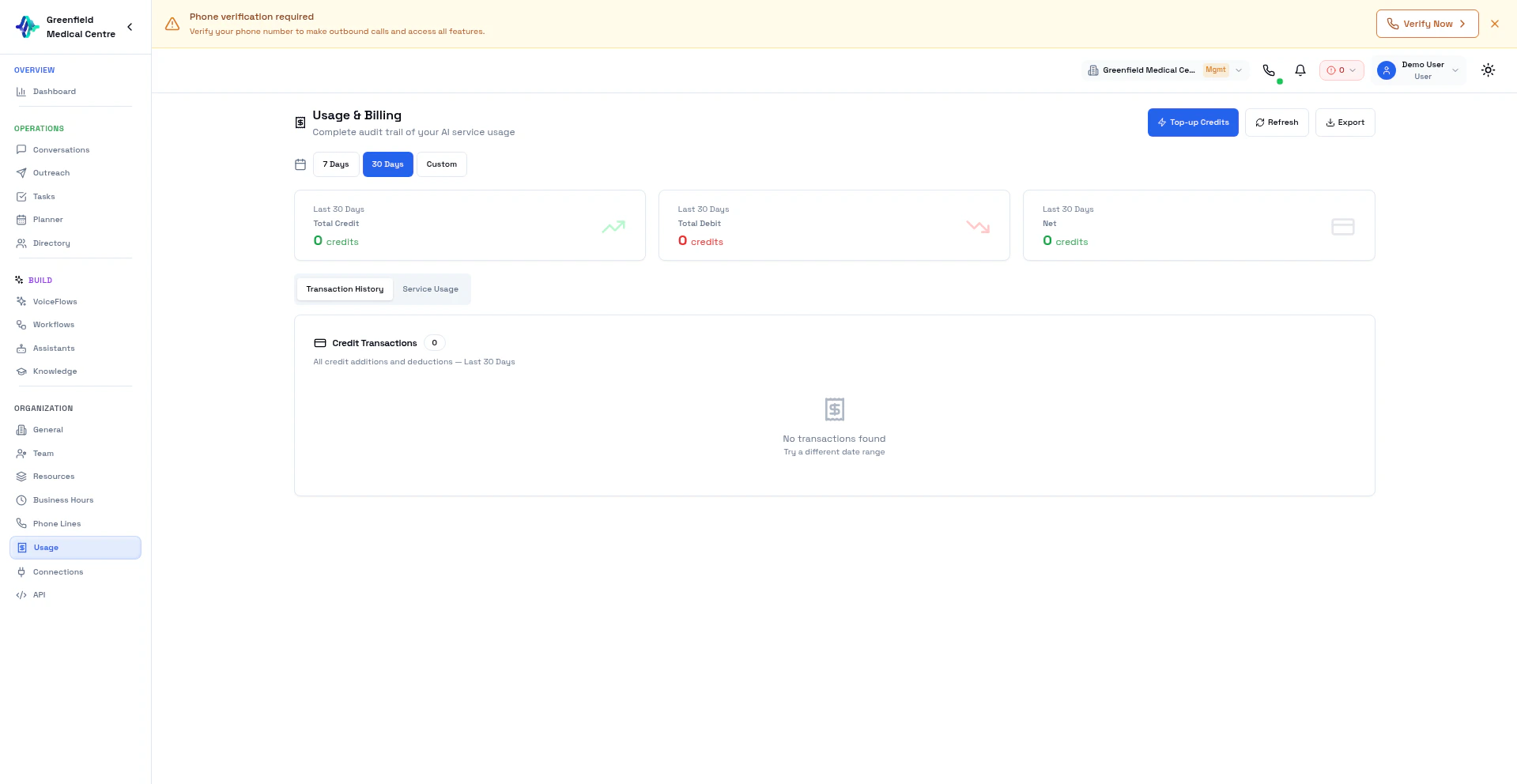 EolasFlow uses a credit-based billing system. Credits are consumed by AI voice calls based on duration and the AI providers used. Purchase credits, track your usage, and manage billing from the Usage page.
## Credit System Overview
| Item | Details |
| ----------------- | ----------------------------------------------------------------- |
| **Billing Model** | Component-based: each AI service (STT, LLM, TTS) has its own rate |
| **Welcome Bonus** | Free credits for new accounts |
| **Payment** | Pay-as-you-go via Stripe, or subscription plans |
| **Rounding** | Per-second billing, aggregated per call |
## How Credits Are Consumed
Each call uses multiple AI services. Credit cost depends on which providers your assistant uses:
| Component | Description |
| ------------------------ | -------------------------------------------------------------- |
| **STT (Speech-to-Text)** | Transcribing customer speech (e.g., Deepgram) |
| **LLM (Language Model)** | AI reasoning and response generation (e.g., OpenAI, Groq) |
| **TTS (Text-to-Speech)** | Converting AI responses to speech (e.g., ElevenLabs, Cartesia) |
| **Telephony** | Twilio call minutes |
Different providers have different rates. Using Groq LLM + Cartesia TTS costs differently than OpenAI Realtime, for example.
## Viewing Your Balance
Your credit balance is always visible in the dashboard header. For details:
1. Navigate to **Usage** in the Organization section
2. View current balance, purchased credits, and bonus credits
## Purchasing Credits
Go to **Usage** in the Organization section and click **Add Credits**.
Choose a credit package or enter a custom amount.
Enter a coupon code if you have one.
Pay securely via Stripe. Cards and digital wallets accepted.
Credits are added to your account immediately.
## Transaction History
View all credit transactions:
1. Go to **Usage**
2. Click the **Transaction History** tab
3. See all purchases, bonuses, and deductions
Each transaction shows date, type, amount, and balance after.
## Service Usage
Track credit consumption by call:
1. Go to **Usage**
2. Click the **Service Usage** tab
3. View call-by-call breakdown
Each usage record shows call date, duration, cost per component, and total.
## Low Balance Warnings
EolasFlow alerts you when credits are low:
* Warning at low balance
* Critical alert near zero
* Calls may fail if balance reaches \$0
Keep sufficient credits to avoid interrupted VoiceFlows and outreach campaigns.
## Payment Methods
Payments are processed securely via Stripe:
* **Credit/Debit Cards** — Visa, Mastercard, American Express
* **Digital Wallets** — Apple Pay, Google Pay (where available)
All transactions are encrypted and PCI-DSS compliant.
## Subscription Plans
For predictable costs, EolasFlow offers subscription plans with included credit allowances. Contact sales for enterprise pricing with volume discounts and custom rates.
## FAQ
Purchased credits do not expire.
Contact support for refund requests. Unused credits may be refundable.
Calls will fail until you add more credits. Active outreach campaigns will pause.
Yes. Contact sales for enterprise pricing with custom rates per component.
## Next Steps
Start using your credits for campaigns
Review call details and costs
Manage team and settings
Questions about billing
EolasFlow uses a credit-based billing system. Credits are consumed by AI voice calls based on duration and the AI providers used. Purchase credits, track your usage, and manage billing from the Usage page.
## Credit System Overview
| Item | Details |
| ----------------- | ----------------------------------------------------------------- |
| **Billing Model** | Component-based: each AI service (STT, LLM, TTS) has its own rate |
| **Welcome Bonus** | Free credits for new accounts |
| **Payment** | Pay-as-you-go via Stripe, or subscription plans |
| **Rounding** | Per-second billing, aggregated per call |
## How Credits Are Consumed
Each call uses multiple AI services. Credit cost depends on which providers your assistant uses:
| Component | Description |
| ------------------------ | -------------------------------------------------------------- |
| **STT (Speech-to-Text)** | Transcribing customer speech (e.g., Deepgram) |
| **LLM (Language Model)** | AI reasoning and response generation (e.g., OpenAI, Groq) |
| **TTS (Text-to-Speech)** | Converting AI responses to speech (e.g., ElevenLabs, Cartesia) |
| **Telephony** | Twilio call minutes |
Different providers have different rates. Using Groq LLM + Cartesia TTS costs differently than OpenAI Realtime, for example.
## Viewing Your Balance
Your credit balance is always visible in the dashboard header. For details:
1. Navigate to **Usage** in the Organization section
2. View current balance, purchased credits, and bonus credits
## Purchasing Credits
Go to **Usage** in the Organization section and click **Add Credits**.
Choose a credit package or enter a custom amount.
Enter a coupon code if you have one.
Pay securely via Stripe. Cards and digital wallets accepted.
Credits are added to your account immediately.
## Transaction History
View all credit transactions:
1. Go to **Usage**
2. Click the **Transaction History** tab
3. See all purchases, bonuses, and deductions
Each transaction shows date, type, amount, and balance after.
## Service Usage
Track credit consumption by call:
1. Go to **Usage**
2. Click the **Service Usage** tab
3. View call-by-call breakdown
Each usage record shows call date, duration, cost per component, and total.
## Low Balance Warnings
EolasFlow alerts you when credits are low:
* Warning at low balance
* Critical alert near zero
* Calls may fail if balance reaches \$0
Keep sufficient credits to avoid interrupted VoiceFlows and outreach campaigns.
## Payment Methods
Payments are processed securely via Stripe:
* **Credit/Debit Cards** — Visa, Mastercard, American Express
* **Digital Wallets** — Apple Pay, Google Pay (where available)
All transactions are encrypted and PCI-DSS compliant.
## Subscription Plans
For predictable costs, EolasFlow offers subscription plans with included credit allowances. Contact sales for enterprise pricing with volume discounts and custom rates.
## FAQ
Purchased credits do not expire.
Contact support for refund requests. Unused credits may be refundable.
Calls will fail until you add more credits. Active outreach campaigns will pause.
Yes. Contact sales for enterprise pricing with custom rates per component.
## Next Steps
Start using your credits for campaigns
Review call details and costs
Manage team and settings
Questions about billing