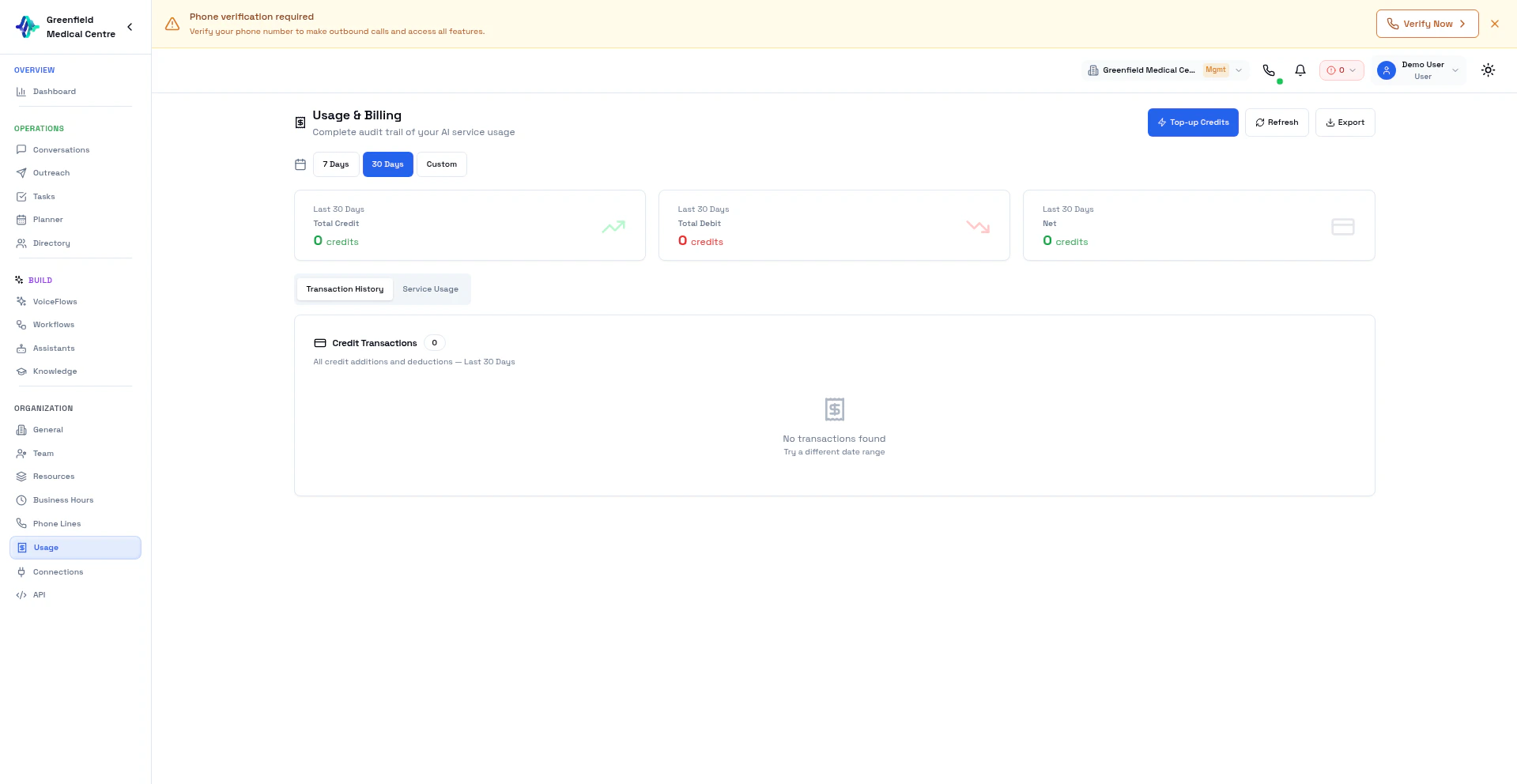
Credit System Overview
How Credits Are Consumed
Each call uses multiple AI services. Credit cost depends on which providers your assistant uses:
Different providers have different rates. Using Groq LLM + Cartesia TTS costs differently than OpenAI Realtime, for example.
Viewing Your Balance
Your credit balance is always visible in the dashboard header. For details:- Navigate to Usage in the Organization section
- View current balance, purchased credits, and bonus credits
Purchasing Credits
1
Navigate to Usage
Go to Usage in the Organization section and click Add Credits.
2
Select Amount
Choose a credit package or enter a custom amount.
3
Apply Coupon (Optional)
Enter a coupon code if you have one.
4
Complete Payment
Pay securely via Stripe. Cards and digital wallets accepted.
5
Credits Added
Credits are added to your account immediately.
Transaction History
View all credit transactions:- Go to Usage
- Click the Transaction History tab
- See all purchases, bonuses, and deductions
Service Usage
Track credit consumption by call:- Go to Usage
- Click the Service Usage tab
- View call-by-call breakdown
Low Balance Warnings
EolasFlow alerts you when credits are low:- Warning at low balance
- Critical alert near zero
- Calls may fail if balance reaches $0
Payment Methods
Payments are processed securely via Stripe:- Credit/Debit Cards — Visa, Mastercard, American Express
- Digital Wallets — Apple Pay, Google Pay (where available)
Subscription Plans
For predictable costs, EolasFlow offers subscription plans with included credit allowances. Contact sales for enterprise pricing with volume discounts and custom rates.FAQ
Do credits expire?
Do credits expire?
Purchased credits do not expire.
Can I get a refund?
Can I get a refund?
Contact support for refund requests. Unused credits may be refundable.
What happens if I run out?
What happens if I run out?
Calls will fail until you add more credits. Active outreach campaigns will pause.
Are there volume discounts?
Are there volume discounts?
Yes. Contact sales for enterprise pricing with custom rates per component.
Next Steps
Launch Outreach
Start using your credits for campaigns
Conversations
Review call details and costs
Organization
Manage team and settings
Get Support
Questions about billing