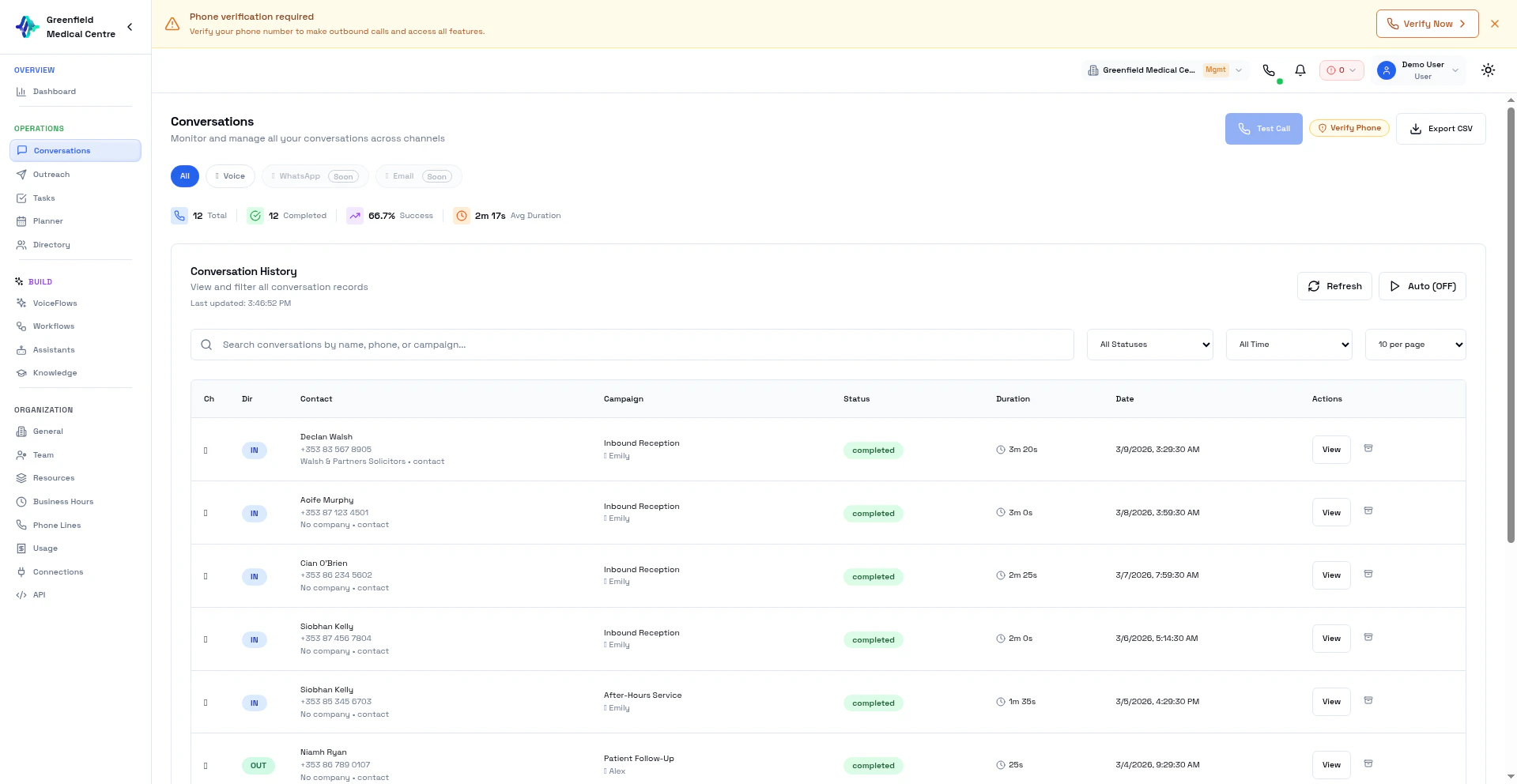
Conversation List
Each conversation shows:- Contact Name — Who was on the call
- Phone Number — The number dialed
- VoiceFlow — Which VoiceFlow handled the call
- Assistant — Which AI assistant was used
- Status — Call outcome (Completed, No Answer, etc.)
- Duration — Length of the call
- Sentiment — AI-analyzed customer mood
Viewing a Conversation
Click any conversation to see the full detail view — transcript on the left, AI analysis on the right.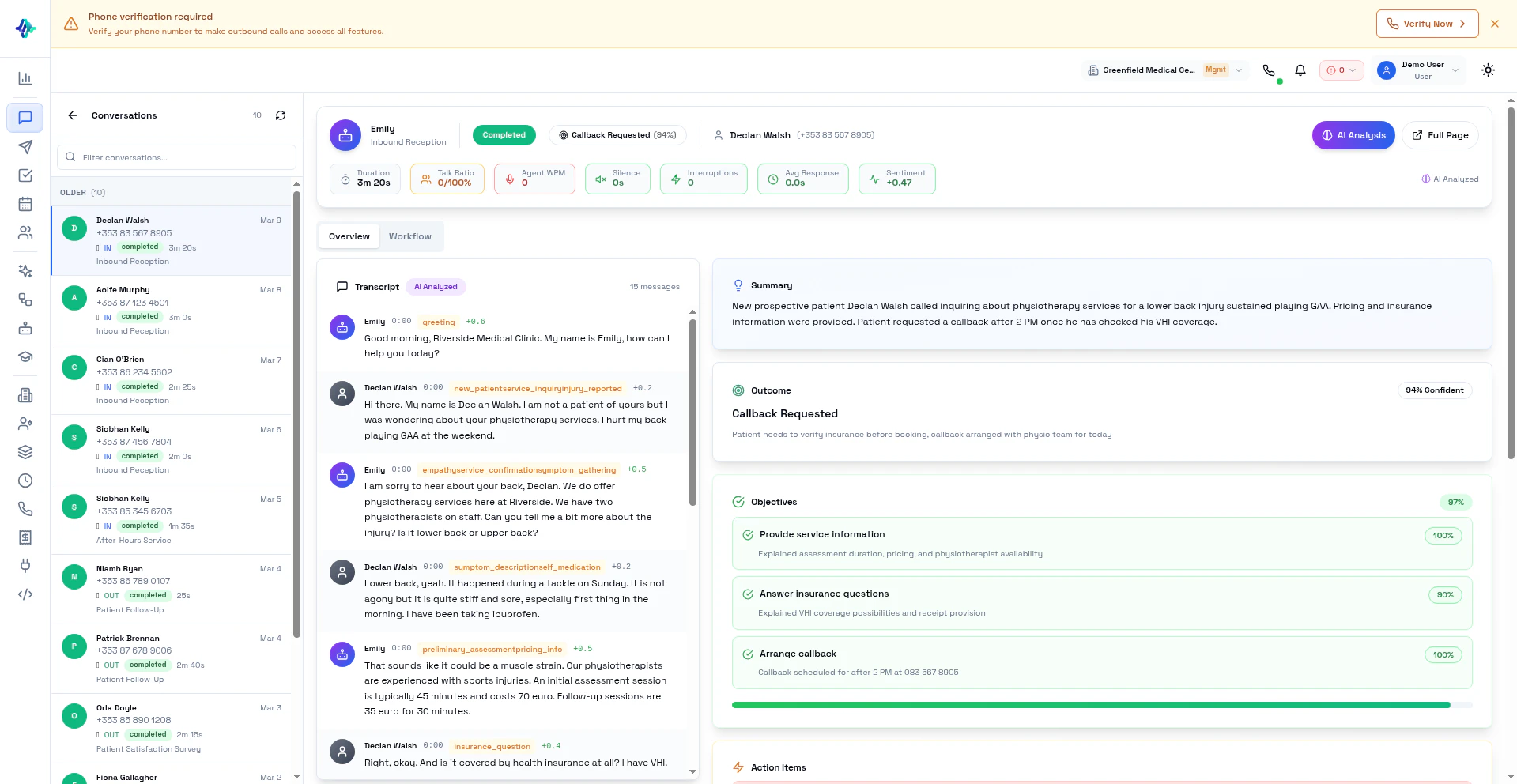
Recording
Listen to the call recording with playback controls:- Play, pause, skip forward/backward
- Adjust playback speed
Transcript
Read the complete conversation with speaker labels and timestamps:- Agent — What your AI assistant said
- Customer — What the contact said
- Analyzed Transcript — AI-cleaned with per-segment sentiment scores and speaker labels
- Raw Transcript — Original diarized recording transcription
AI Analysis
Every completed call receives a two-stage AI analysis:- Summary — Concise overview of what happened
- Sentiment Timeline — How customer sentiment changed throughout the call
- Talk Metrics — Who spoke more, interruptions, silence gaps
- Action Items — Suggested follow-ups extracted from the conversation
- Objectives — Whether the call met its VoiceFlow objectives (if configured)
- Outcome Category — Classification based on VoiceFlow settings
Tasks
AI-generated tasks from the conversation (e.g., “Send pricing document to John”). These appear in the Tasks section automatically.Filtering and Search
1
Navigate to Conversations
Go to Conversations in the Analyze section.
2
Filter Results
Use filters to narrow down:
- Status: Completed, Failed, No Answer, Busy
- Outcome: Interested, Not Interested, Callback, Converted
- Date Range: Filter by time period
- Search: Find by contact name or phone number
3
View Details
Click any row to see the full conversation with recording, transcript, and analysis.
Call Statuses
Exporting Data
Export your conversation history for reporting:1
Apply Filters
Filter the list to the conversations you want to export.
2
Click Export
Click the Export CSV button.
3
Download
The CSV file downloads with call data including transcripts, outcomes, and summaries.
Best Practices
Next Steps
Manage VoiceFlows
Adjust VoiceFlow settings based on call results
Improve Assistants
Refine your assistant based on transcripts