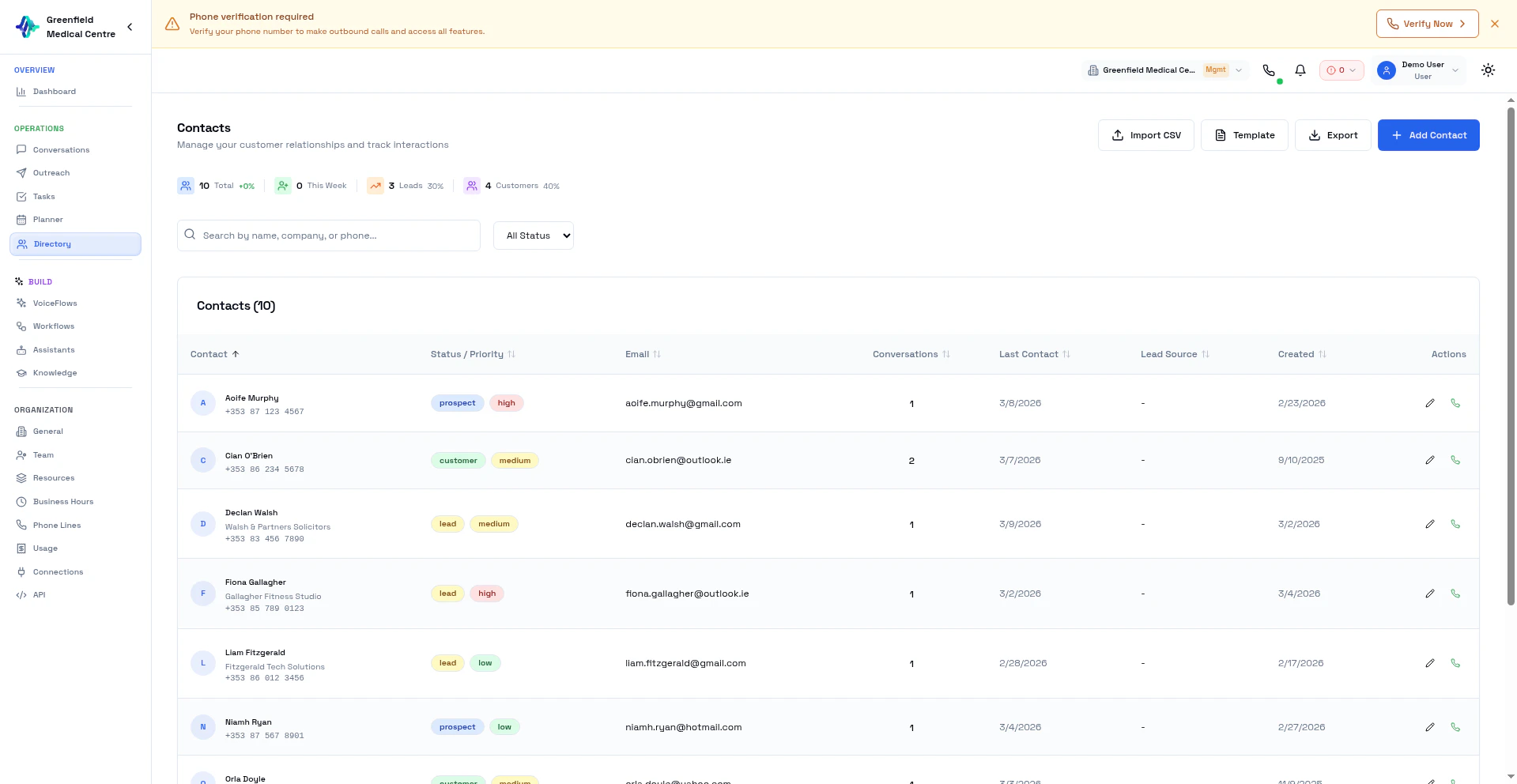
Contact Overview
Each contact record includes:- Name — First and last name
- Phone — Primary phone number for calling
- Email — Email address (optional)
- Company — Organization they belong to
- Status — Lead, Prospect, Customer, or Churned
- Priority — High, Medium, or Low
- Lead Source — Where the contact came from
Adding Contacts
Add Single Contact
1
Navigate to Directory
Go to Directory in the Workspace section and click Add Contact.
2
Enter Details
Fill in the contact information. At minimum, you need a name and phone number.
3
Set Status and Priority
Choose the appropriate status (Lead, Prospect, etc.) and priority level.
4
Save
Click Save to add the contact.
Import from CSV
For bulk imports:1
Download Template
Click Import CSV then Download Template to get a properly formatted spreadsheet.
2
Fill in Your Data
Open the template in Excel or Google Sheets and add your contacts.
3
Upload the File
Click Import CSV, select your completed spreadsheet, and upload.
4
Map Columns
Verify that columns are mapped correctly (Name to Name, Phone to Phone, etc.).
5
Import
Click Import. Duplicates are automatically detected.
CSV Format
Phone numbers should include the country code (e.g., +1 for US, +44 for UK).
Contact Statuses
Filtering and Search
Find contacts using:- Search — Type a name, phone, or email
- Status Filter — Show only Leads, Prospects, etc.
- Priority Filter — Filter by High, Medium, or Low
Contact Details
Click on any contact to see:- Full contact information
- All calls made to them
- Call outcomes and AI summaries
- Interaction timeline
Best Practices
Next Steps
Create VoiceFlows
Use your contacts in a VoiceFlow
Launch Outreach
Call your contacts at scale